
Download SnapaShot – Free, Lightweight Screen Capture Tool for Windows & Mac
SnapaShot – компактная, портативная утилита для захвата экрана, разработанная для быстрой и эффективной создания скриншотов. Благодаря минимальному интерфейсу и отсутствию необходимости установки, этот инструмент позволяет точно захватывать полные или частичные изображения экрана. Идеален для быстрого обмена, документирования или создания контента, SnapaShot запускается напрямую из EXE‑файла — идеально подходит для USB‑накопителей или временного использования. Его прозрачная наложенная область позволяет легко менять размер и позицию рамки захвата, обеспечивая точный выбор. После захвата вы можете сохранить файл напрямую или скопировать его в буфер обмена. Бесплатная версия предоставляет базовый функционал, а обновление открывает расширенные возможности редактирования и экспорта. Независимо от того, студент вы, профессионал или обычный пользователь, SnapaShot обеспечивает скорость, простоту и надёжность.
Effortless Screen Capture with a Minimalist Interface
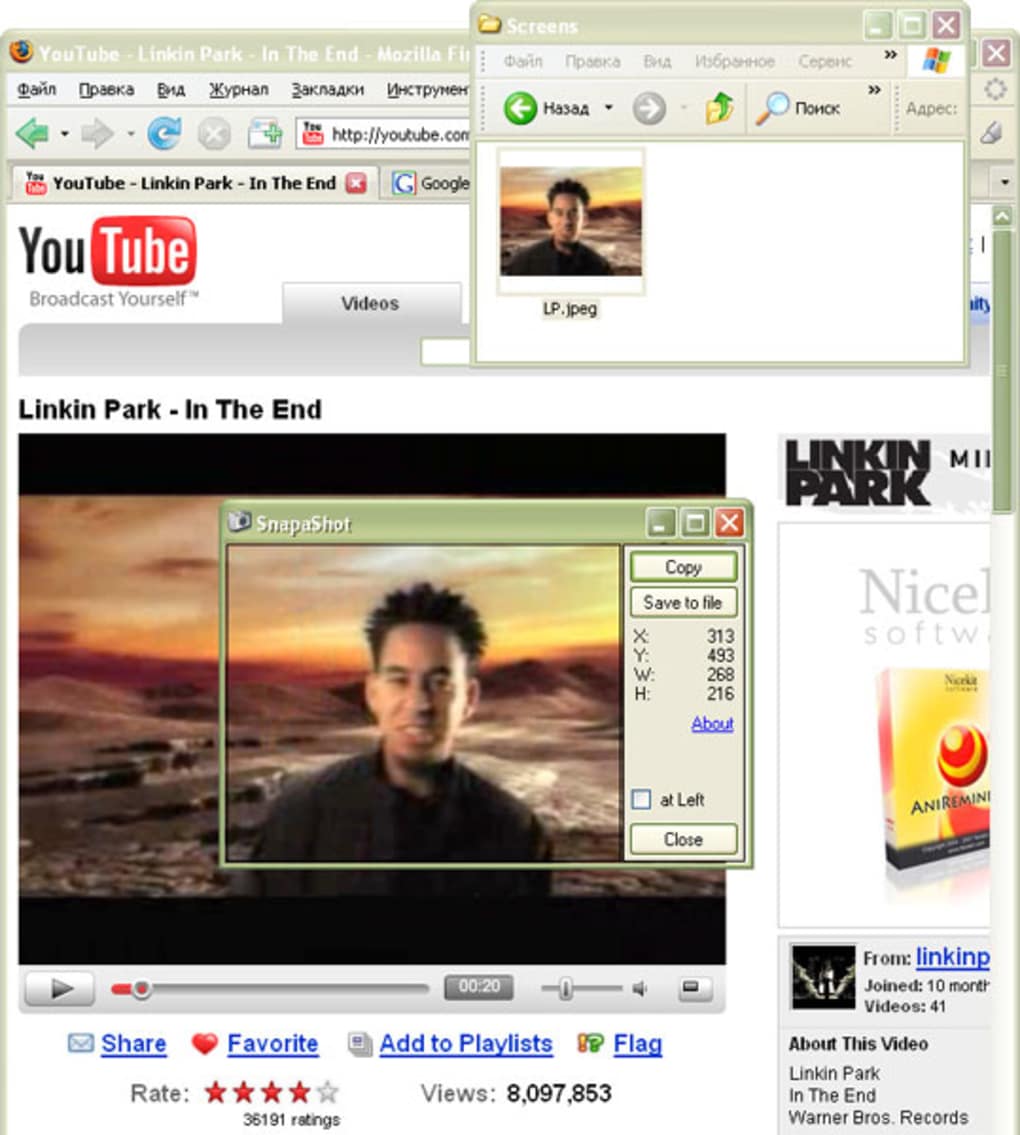
SnapaShot выделяется среди множества инструментов захвата экрана своей элегантной простотой. В отличие от громоздкого ПО, требующего часы настройки и конфигурации, эта лёгкая утилита запускается мгновенно — без установки, без фоновых процессов, без лишних файлов. Просто скачайте 64 KB EXE‑файл, запустите его — и вы готовы к захвату. Интерфейс представляет собой прозрачную наложенную область, плавающую над экраном, позволяющую перетаскивать и менять её размер с помощью интуитивных ручек по краям. Такой дизайн устраняет необходимость в сложных меню или горячих клавишах во время захвата. Вы можете растянуть рамку, чтобы покрыть весь экран, или сосредоточиться на конкретной области — идеально для изоляции кнопки, блока текста или окна приложения.
Что делает SnapaShot действительно эффективным, так это его механизм «snap». При перемещении рамки по экрану она автоматически выравнивается по краям и углам, уменьшая шанс смещения. Эта функция особенно полезна при захвате элементов интерфейса, требующих пиксельной точности. После позиционирования рамки один клик захватывает выбранный регион. Инструмент сразу предлагает варианты: копировать в буфер обмена или сохранить в выбранную папку. Такой бесшовный рабочий процесс позволяет тратить меньше времени на настройку и больше — на обмен или документирование.
Для пользователей, ценящих конфиденциальность и безопасность, портативность SnapaShot является большим преимуществом. Поскольку он ничего не устанавливает и не пишет в реестр, ваша система остаётся нетронутой. Вы можете носить его на USB‑накопителе и использовать на любом компьютере с Windows без следов. Это делает его идеальным для рабочих станций, школьных лабораторий или общих устройств, где нет прав администратора. Его минимальный след также означает почти нулевое потребление ресурсов — идеально для старых или слабых машин. Независимо от того, создаёте ли вы учебные материалы, сообщаете об ошибках или делитесь быстрыми обновлениями, SnapaShot обеспечивает скорость и точность без компромиссов.
Portable & Cross-Platform Compatibility: Run Anywhere
One of the most compelling features of SnapaShot is its portability. Unlike traditional software that requires installation and leaves behind files, SnapaShot runs directly from the executable file. This means you can download it, run it, and use it immediately—no setup, no dependencies. This is particularly beneficial for users who frequently switch between devices or need a temporary screenshot tool. Simply copy the EXE file to a USB stick, flash drive, or cloud folder, and you can use it on any Windows PC with minimal hassle.
While SnapaShot is currently optimized for Windows, its lightweight nature makes it compatible with a wide range of systems, including older versions like Windows 7 and Windows 10. It doesn’t require .NET Framework or other runtime libraries, so you won’t encounter compatibility errors. The tool supports both high-DPI displays and multiple monitors, ensuring consistent performance across different setups. For Mac users, while there’s no native version yet, similar lightweight tools are available, but SnapaShot remains a top choice for Windows environments.
Additionally, SnapaShot is fully compatible with Android and iOS devices when used in conjunction with remote desktop tools or screen mirroring apps. For example, you can use it on a Windows laptop to capture screenshots of a mirrored iPhone or Android screen. This flexibility makes it a versatile addition to your digital toolkit. Whether you’re troubleshooting a device, creating a tutorial video, or documenting a workflow, SnapaShot adapts to your needs. Its ability to run from a USB drive also makes it ideal for IT professionals, educators, and remote workers who need a reliable, secure tool that doesn’t require admin access.
Features, Pros, and Cons: A Balanced Look
- Lightweight & Portable: Only 64KB in size, runs from EXE without installation.
- Transparent Overlay: Easily resize and reposition the capture frame with edge handles.
- Fast Capture: Instant capture with no lag or delay.
- Clipboard & File Export: Save directly to file or copy to clipboard.
- Multi-Monitor Support: Works seamlessly across multiple displays.
- High-DPI Ready: Clear visuals on high-resolution screens.
- No System Impact: Minimal CPU and memory usage.
Pros
- Extremely small file size (64KB)
- No installation required – runs from USB
- Intuitive transparent frame for precise selection
- Fast, responsive performance on all systems
- Perfect for temporary or shared devices
- Secure and private – no data stored or sent
Cons
- Limited editing features in free version
- No native Mac, Android, or iOS support
- Basic export options – no advanced formatting
- Only supports Windows platforms
- Minimal customization for captured images
Frequently Asked Questions (FAQ)
Is SnapaShot free to download and use?
Yes, SnapaShot is completely free to download and use. The basic version offers full functionality for capturing and saving screenshots. While the free version has limited editing options, it’s ideal for quick, no-frills screen captures. Upgrades to the full version unlock advanced features like image effects, batch processing, and enhanced export formats.
Can I run SnapaShot from a USB drive?
Absolutely. SnapaShot is designed to be portable. You can copy the EXE file to any USB drive and run it directly from there on any Windows PC without installing anything. This makes it perfect for use on public computers, school labs, or shared workstations.
Does SnapaShot support Mac or Linux?
Currently, SnapaShot is only available for Windows. There is no native version for Mac or Linux. However, users on those platforms can explore similar lightweight tools or use remote desktop solutions to capture screens via a Windows machine.
Can I edit screenshots after capturing them?
The free version allows basic saving and clipboard sharing. For advanced editing—such as adding arrows, text, or filters—you’ll need to upgrade to the full version. The paid upgrade includes a built-in editor with more customization options.
Is SnapaShot secure and safe to use?
Yes, SnapaShot is safe and secure. It doesn’t collect any user data, doesn’t require admin rights, and doesn’t install anything on your system. Since it runs from a single EXE file, there’s no risk of malware or unwanted changes to your system settings.
Final Verdict: A Must-Have for Quick Screenshots
SnapaShot is a standout in the world of lightweight screen capture tools. Its combination of portability, speed, and simplicity makes it ideal for anyone who needs to capture screen content quickly and securely. Whether you’re a student documenting a lecture, a professional sharing a bug report, or a content creator preparing visuals, SnapaShot delivers exactly what you need—without the bloat.
While the free version is limited in editing capabilities, the core capture function is flawless. The ability to run from a USB stick and use it on any Windows machine without installation is a game-changer for temporary or restricted environments. If you’re tired of heavy software that slows down your system, SnapaShot offers a refreshing alternative.
For users seeking a reliable, secure, and fast screen capture tool, SnapaShot is an excellent choice. Download it today and experience the power of minimalism in software.
Download SnapaShot now and take control of your screen captures—fast, free, and secure.







